

WhatsApp Username Feature: How To Reserve Your Name Without Sharing Phone Number
WhatsApp is preparing a major privacy update that will allow users to chat without sharing their phone numbers. The Meta-owned messaging platform has started allowing users to reserve unique usernames before the feature is rolled out more widely later this year.
Until now, WhatsApp conversations have largely depended on phone numbers. Anyone who had a user’s mobile number could contact them on the app, creating privacy concerns for people who wanted to connect with new contacts without revealing personal details. The upcoming username feature aims to close this gap by giving users a separate identity for first-time conversations.
What Is The WhatsApp Username Feature?
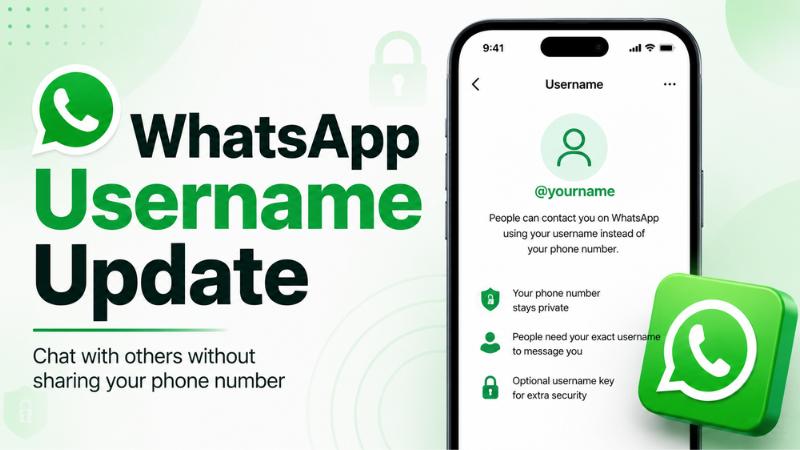
The WhatsApp username feature will let users create a unique name that can be shared instead of a phone number. Once the feature becomes available, people will be able to contact a user through their username, provided they know the exact username.
WhatsApp has clarified that usernames will not work like public social media handles. There will be no searchable directory, and the app will not suggest usernames while typing. This means a person must know the correct username before sending a message for the first time.
Why WhatsApp Is Adding Usernames
The biggest reason behind the update is privacy. In many situations, users may want to stay connected with someone without giving away their mobile number. This can include new classmates, business contacts, neighbours, event groups, online buyers, sellers, or community members.
With usernames, WhatsApp users can reduce unnecessary exposure of their phone numbers while continuing conversations. Existing contacts will not be affected, and current chats will continue as usual.
How To Reserve Your WhatsApp Username
Users who receive the option can reserve their WhatsApp username by updating the app to the latest version and checking the account settings.
The expected steps are:
- Update WhatsApp to the latest version
- Open WhatsApp Settings
- Tap Account
- Select Username
- Choose an available username and confirm it
The feature is being rolled out gradually, so not everyone may see the option immediately. WhatsApp is expected to notify users inside the app when username reservations become available in their region.
What Is WhatsApp Username Key?
WhatsApp is also adding an optional Username Key for extra privacy. This feature will allow users to create an additional key that first-time contacts must enter before messaging them through a username.
This gives users more control over who can reach them, even if their username becomes known to others. Users are expected to be able to change this key whenever required.
Rules For WhatsApp Usernames
WhatsApp usernames are expected to be unique and can be up to 35 characters long. Businesses, creators, and organisations may be able to claim usernames that match their existing Instagram or Facebook accounts, where possible.
To prevent impersonation, WhatsApp will reserve certain usernames linked to celebrities, public figures, government entities, and other high-profile groups.
What Changes For Existing Users?
Existing chats, saved contacts, blocking, reporting, and end-to-end encryption will continue to work as before. Phone numbers will still be needed to register on WhatsApp, but users will get more control over whether they want to share that number with new contacts.
The update is one of WhatsApp’s biggest privacy-focused changes and could make the app safer for users who regularly interact with new people online or in public groups.